Get the Claude app
Download it and sign in. You need the desktop app, because the website can't open folders on your computer.
Download ClaudeClaude Launch · by Michael Luis Diaz
Every new Claude chat starts out knowing nothing about you. This kit fixes that. You make one folder and paste one sentence, and Claude builds itself a notebook about your business that it reads before every chat.
Mounted · MEMORY.md updated Oct 9 · Model: Sonnet, medium, routine filing work1Why it exists
Click the slide, use the arrows or your arrow keys, or swipe.
2How it works
Watch one chat from start to finish. Tap a step to jump to it.
The rulebook in the middle, the pages it points to around it, and the routines on the outside, colored by what starts them. Tap anything.
You say "I'm done" at the end of each day, and it saves what happened. On Fridays and once a month it cleans up on its own.
The Friday cleanup looks for stray files, old notes and folders that don't have a label yet, fixes what it can and tells you what it did.
The monthly checkup looks at the whole setup and re-runs the safety check, then tells you if anything needs your attention.
These sit at the top of the rulebook. Tap one to see what it means day to day.
Before it makes, moves, changes or sends anything, it tells you the plan and where things will go, then waits for your yes.
It never saves files anywhere else, and it never leaves files lying loose. Each one goes in its proper place.
Before any email, text or post goes out in your name, it asks itself five questions. Did you see this exact message? Did you reply after seeing it? Has anything changed since? One no and it shows you the message and waits.
It keeps notes on how you write and a list of phrases that sound robotic, and reads both before writing anything in your name.
A rule never gets copied into two files, so the files can never disagree with each other.
Old files move to an archive folder by month. Anything can be brought back.
The rulebook has a list of your folders and what goes in each. If a folder is missing from the list, it fixes that first and tells you.
3Set it up
Download it and sign in. You need the desktop app, because the website can't open folders on your computer.
Download ClaudeCall it anything. Put it inside Google Drive if you use it, so it's backed up. In Claude, start a new task, click the +, choose your computer, and pick that folder.
Copy the message below into that task and press Enter. Claude asks you a few questions and builds everything.
"Open in Claude" starts a chat with the message already typed. If it opens in your web browser, copy the message and paste it into the desktop app instead, with your folder attached.
Paste this version instead. It points straight at the setup file.
No problem. Your progress is saved in the folder. Start a new task with the same folder and send "keep going".
Start a new task and send "root check". The reply should start with a Mounted line, then ROOT OK.
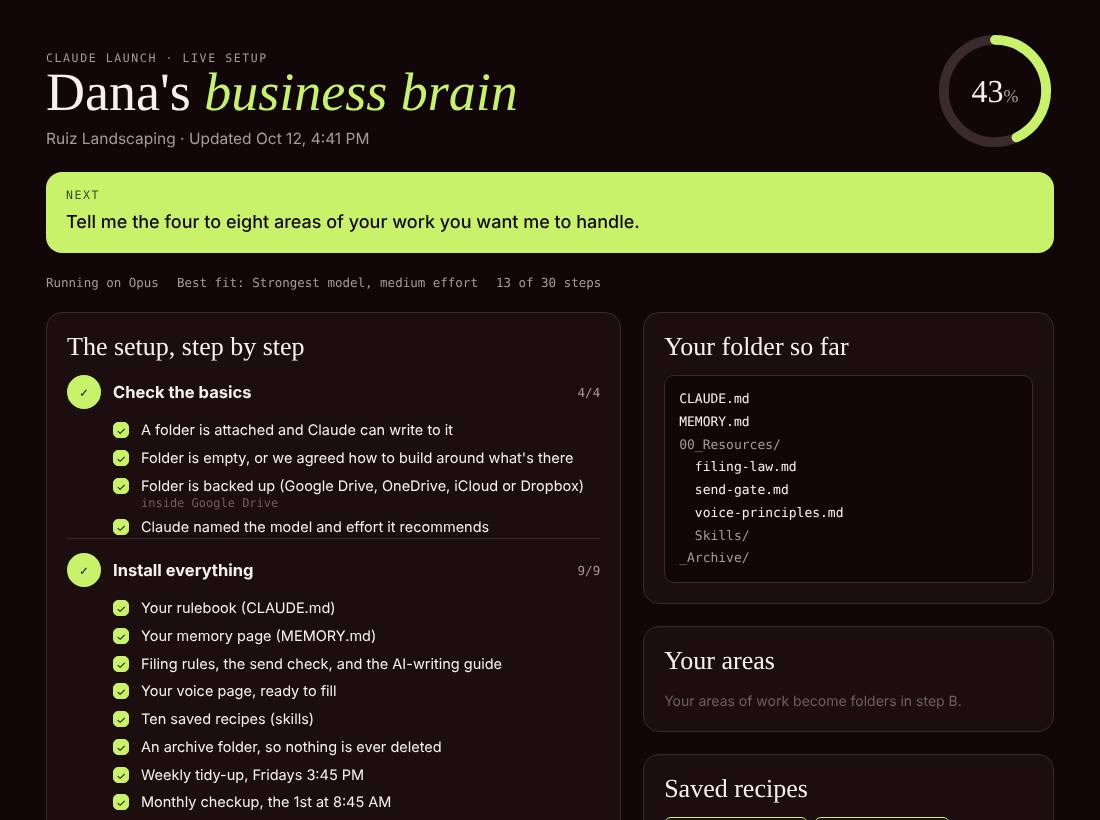
Claude opens this page next to your chat and ticks off each step as it goes. It also shows every file it made and what comes next.
Your name, what the business does, and your time zone. Then the 4 to 8 parts of your work you want covered (sales, clients, bookkeeping), the people you deal with most, anything it should never do for you, and the apps you run on.
If you say yes, it reads 50 to 100 of your old sent emails so its drafts sound like you. It shows you what it noticed before it uses any of it.
First it checks the folder is attached and backed up.
Then it builds the notebook in one go, after you say yes once.
Then it gets to know you and your business (about five minutes).
Then it proves the setup works in a brand new chat, and does one real job with you.
Last it runs the safety check on your accounts, about 20 minutes.
4Stay safe
Letting Claude use your email and computer is like handing someone a set of keys. So setup ends with 8 safety checks. Claude does the looking and you make every call. It never asks for a password.
It takes 30 to 45 minutes, and Claude asks before every change.
Step away for 15 minutes and Claude loses control of your computer until you're back.
A small tool turns off Claude's screen and mouse permissions after 15 idle minutes. If the tool ever breaks, the permissions stay off, so a failure leaves you safe.
Eight steps, about 10 minutes, if anything ever looks wrong.
It also swapped my text-message login codes for an authenticator app and passkeys. After the lock was on, I asked Claude to use my computer. It couldn't.
5Day to day
Once it's set up, these few phrases run the whole thing.